Product Video Thumbnails That Show the Outcome
Published October 21, 2026 · By Kate Steinmeyer · Product Videos


A product video thumbnail should help a buyer predict the result they will see. A polished image of a dashboard may look attractive but reveal little about the task. Choose one visible moment that connects the buyer’s question to the video.
Pick the outcome before the image
Write the promise in plain language: “See a weekly report reach the team,” or “See how a report is shared.” Find a frame that actually shows that state. If the video never reaches the promised result, fix the video before designing its thumbnail.
Avoid thumbnails that show a capability, customer result, or interface state that is absent from the footage. The thumbnail is a product claim in miniature.
Make the image legible at card size
Test the thumbnail where it will appear: blog card, email preview, mobile page, or video player. Crop around the meaningful region, keep text short, and leave room for a play control. A tiny full-screen screenshot often looks like noise. A selected workflow state with a visible label can be clearer.
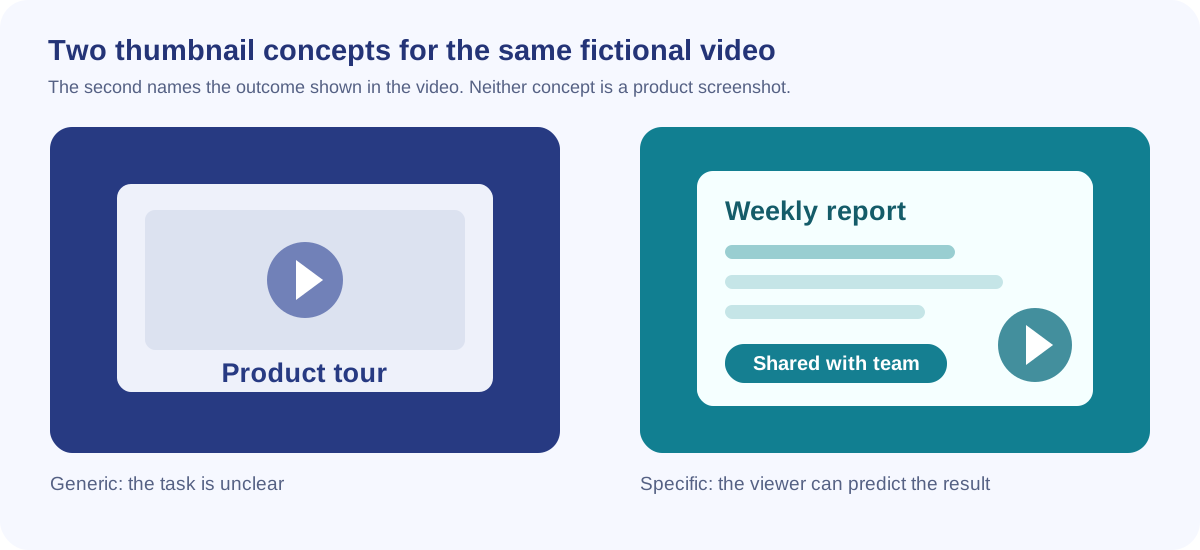
Consider two options for the same video: one shows a generic laptop with “Product tour,” while the other shows a weekly report ready to share. The second gives a buyer a concrete reason to watch, provided the video actually shows that moment.
Evaluate the right signal
Compare thumbnails using the same placement and audience. A higher click rate is useful only if viewers stay long enough to understand the promised workflow. Look at starts, meaningful watch time, and the next action together. If clicks rise while immediate exits rise too, the thumbnail may be overselling the content.
Save the thumbnail source and video version together. When the UI or video changes, review the image as part of the update.
Align the thumbnail with the opening
Write the thumbnail promise in one sentence: “The viewer will see how a weekly report reaches the team.” Then check the first 15 seconds of the video. If the task does not appear until after a minute of brand setup, change the opening or choose an image that better represents what starts the video.
At phone-sized preview, confirm that the main label and result survive each channel's crop. Review qualified starts and useful completions together; a striking image that attracts viewers seeking a different answer does not help the buyer.